Compass Navigation
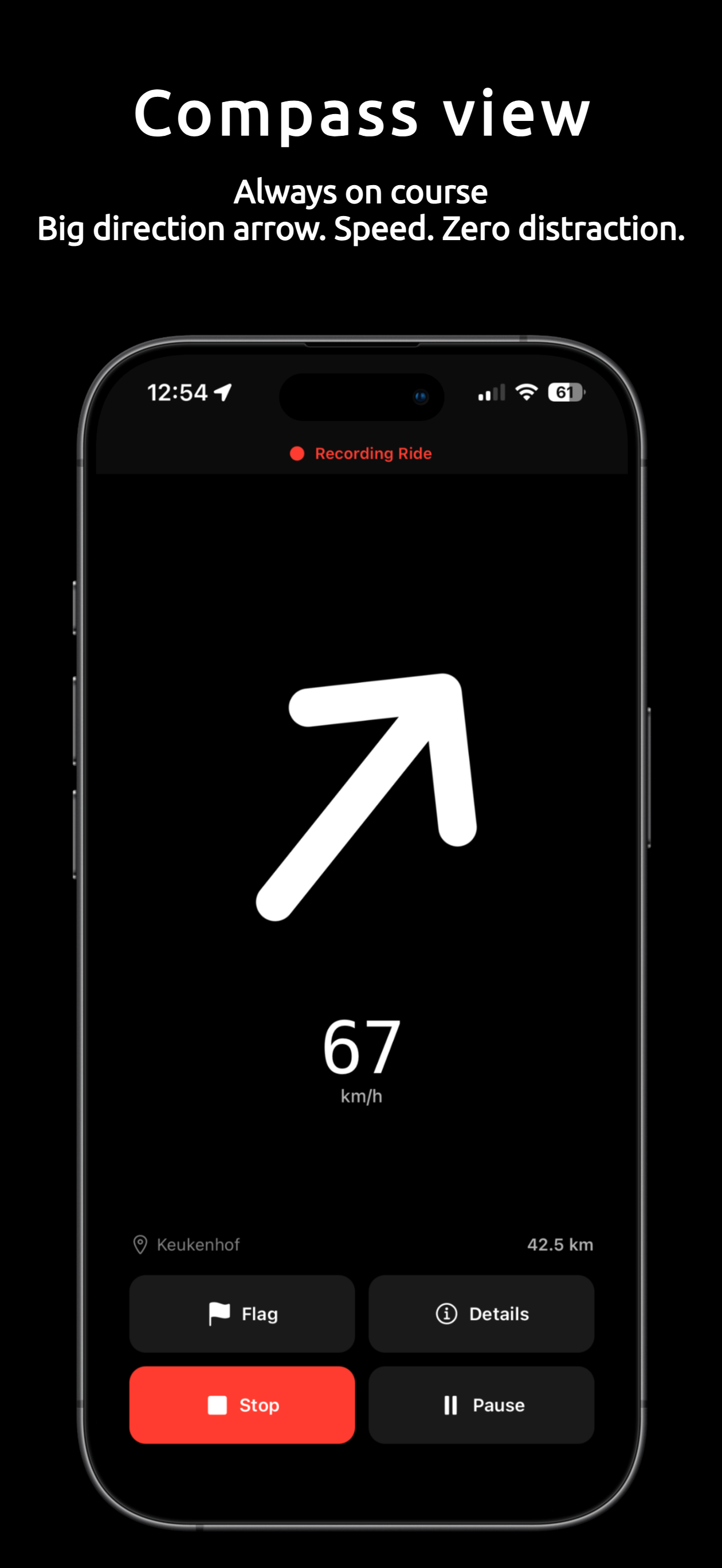
A large direction arrow pointing toward your destination. Speed, cardinal heading, and distance at a glance.
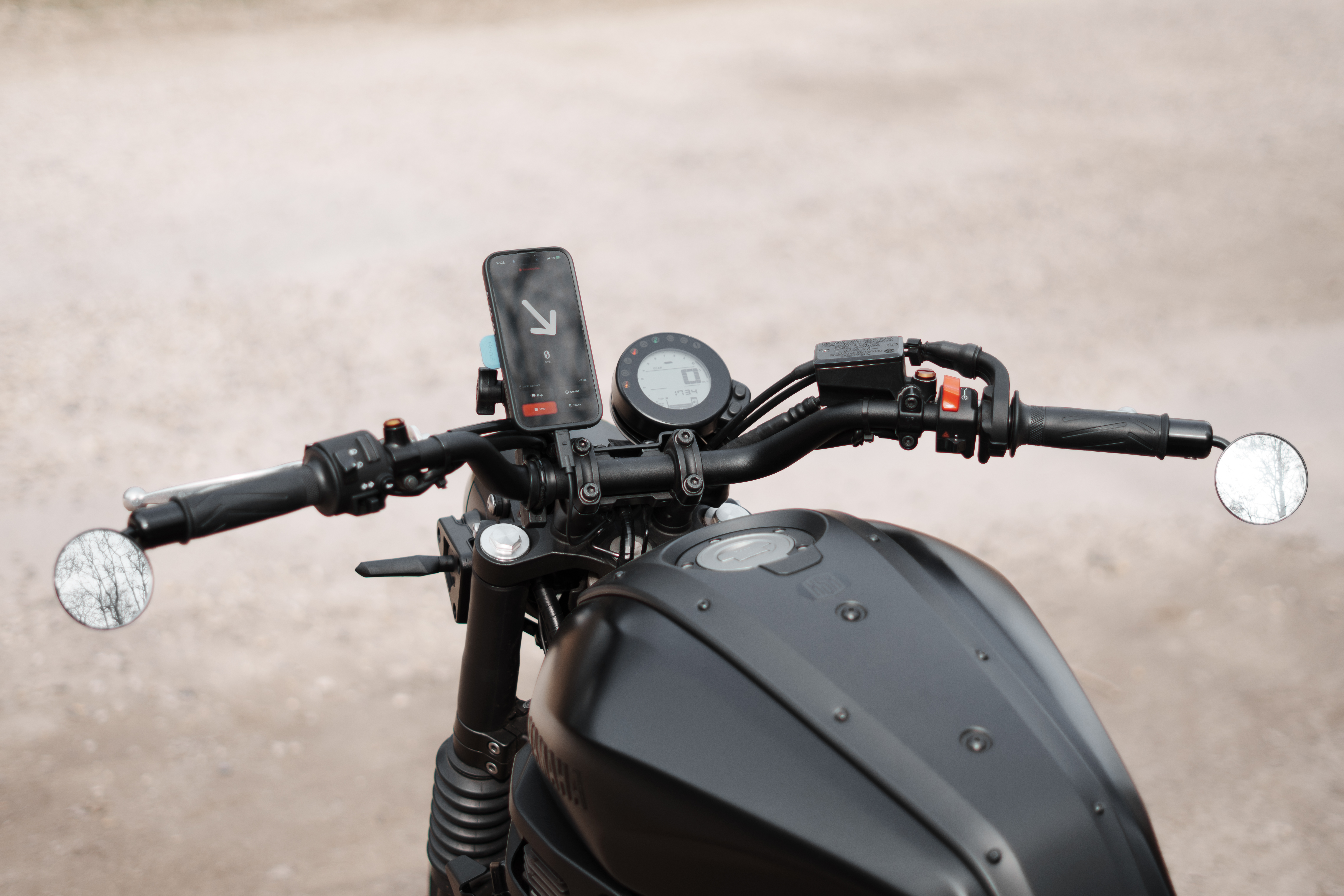
Compass-first motorcycle navigation
Most navigation apps tell you which road to take. Heading just points toward your destination — you pick the roads. Every ride recorded automatically: route, speed, altitude. No tapping, no rerouting, no instructions.
No turn-by-turn directions. Just a compass arrow pointing toward your destination. You pick the roads.
Take detours, discover new roads, get lost on purpose. Heading always knows the way back.
Speed, heading, and distance to destination. Designed for quick glances while riding, not staring at a screen.
Free motorcycle app
Compass navigation and ride recording. Free forever — no ads, no data tracking, no subscriptions.
A large direction arrow pointing toward your destination. Speed, cardinal heading, and distance at a glance.
No destination needed. Large speed display, real-time heading, distance counter, and full ride recording.
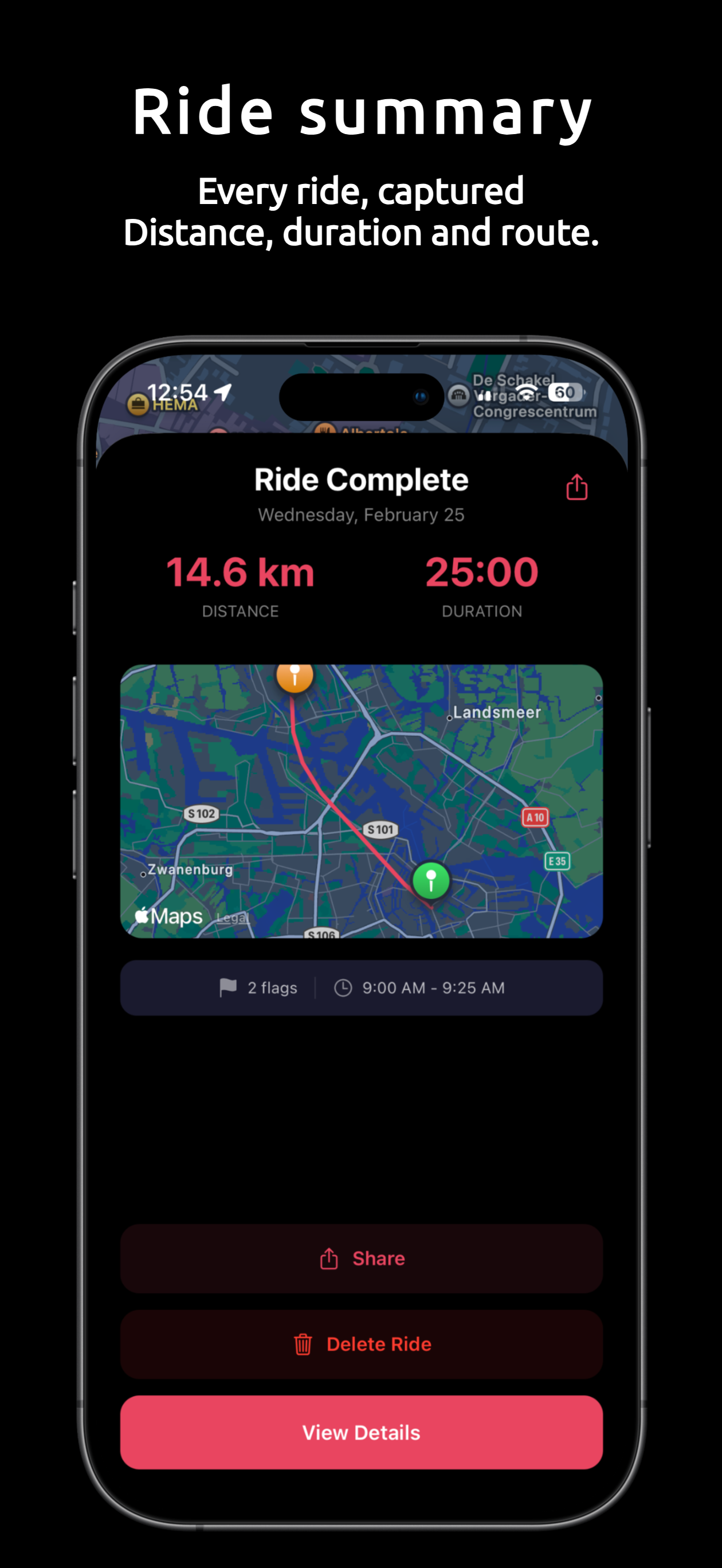
Every motorcycle ride tracked with GPS. Speed, altitude, route polyline, and duration saved automatically.
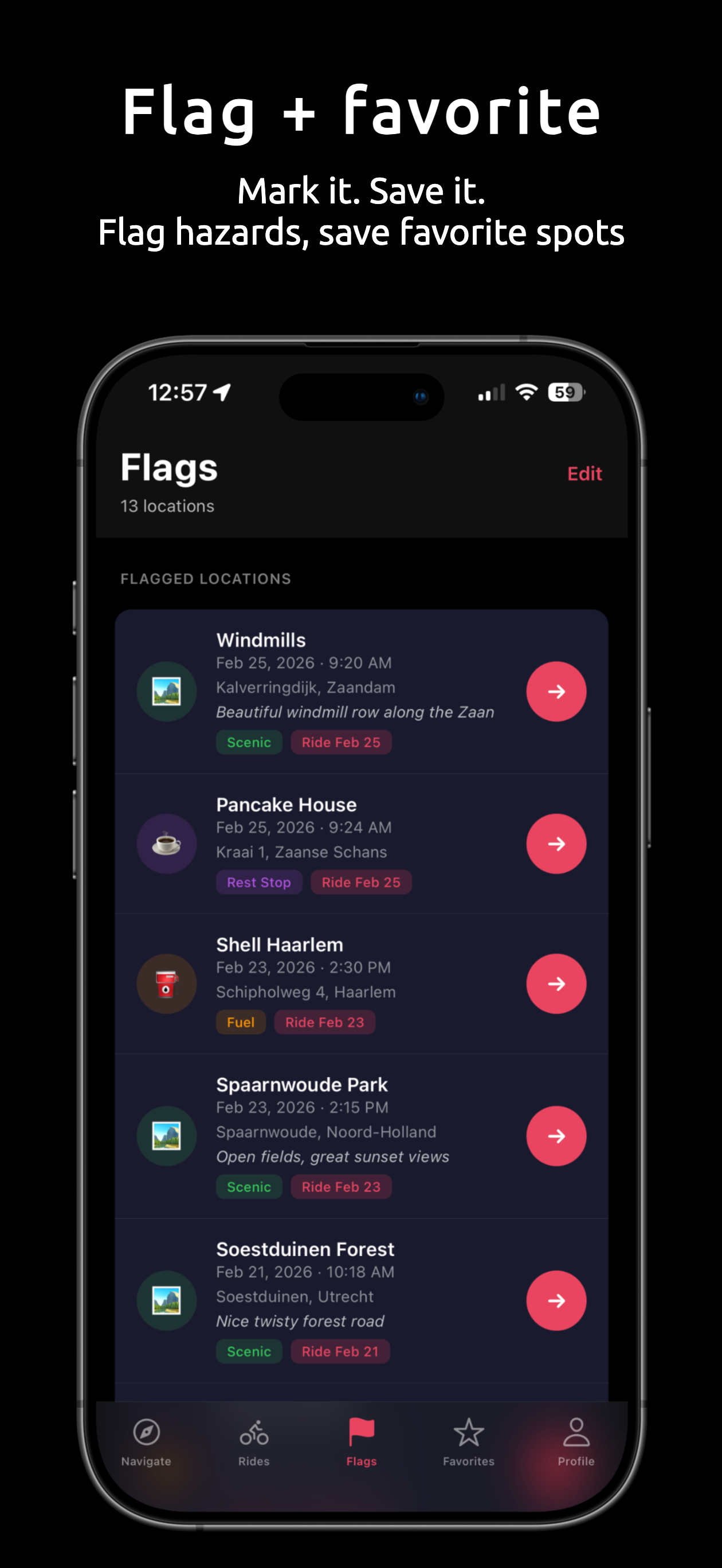
Mark scenic viewpoints, twisty roads, fuel stations, rest areas, and parking spots. Designed for gloves.
Generate Instagram-ready 9:16 share cards with your route map, distance, duration, and average speed.
Save frequently visited destinations for one-tap navigation. Home, work, or that perfect mountain pass.
Dark theme optimized for night riding. OLED burn-in protection shifts pixels during recording. Keep screen awake on long rides.
Automatic arrival notification when you reach your destination. Configurable radius with haptic feedback.
Lean angle tracking, sprint time measurement, speed limit display, ride charts, unlimited history, and GPX export for serious riders.
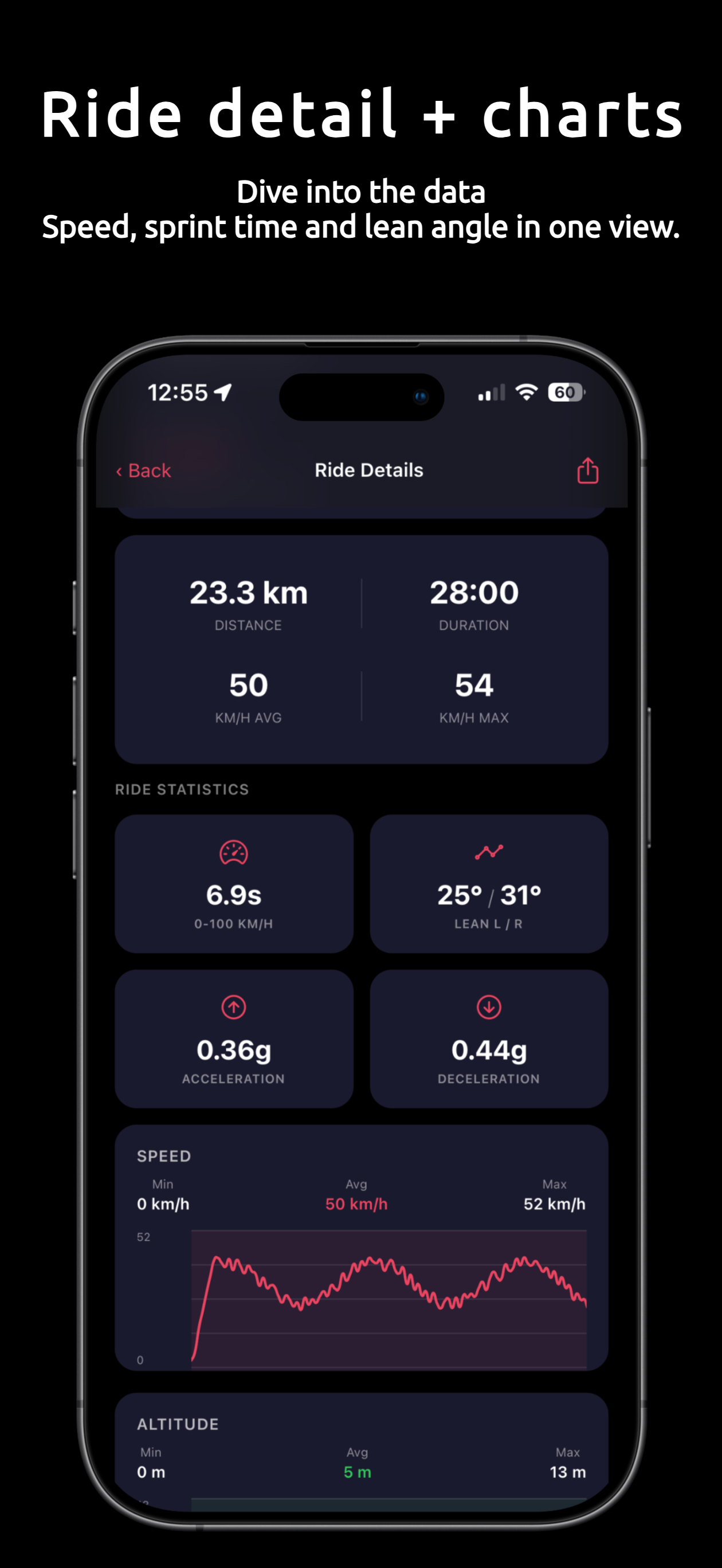
Measure your motorcycle's 0-100 km/h or 0-60 mph acceleration with GPS-based interpolation.
Gyroscope-based lean angle measurement. Auto-calibrates to any phone mount. Records max lean left and right per ride.
Ride data graphed over time with min, average, and max values for speed and elevation.
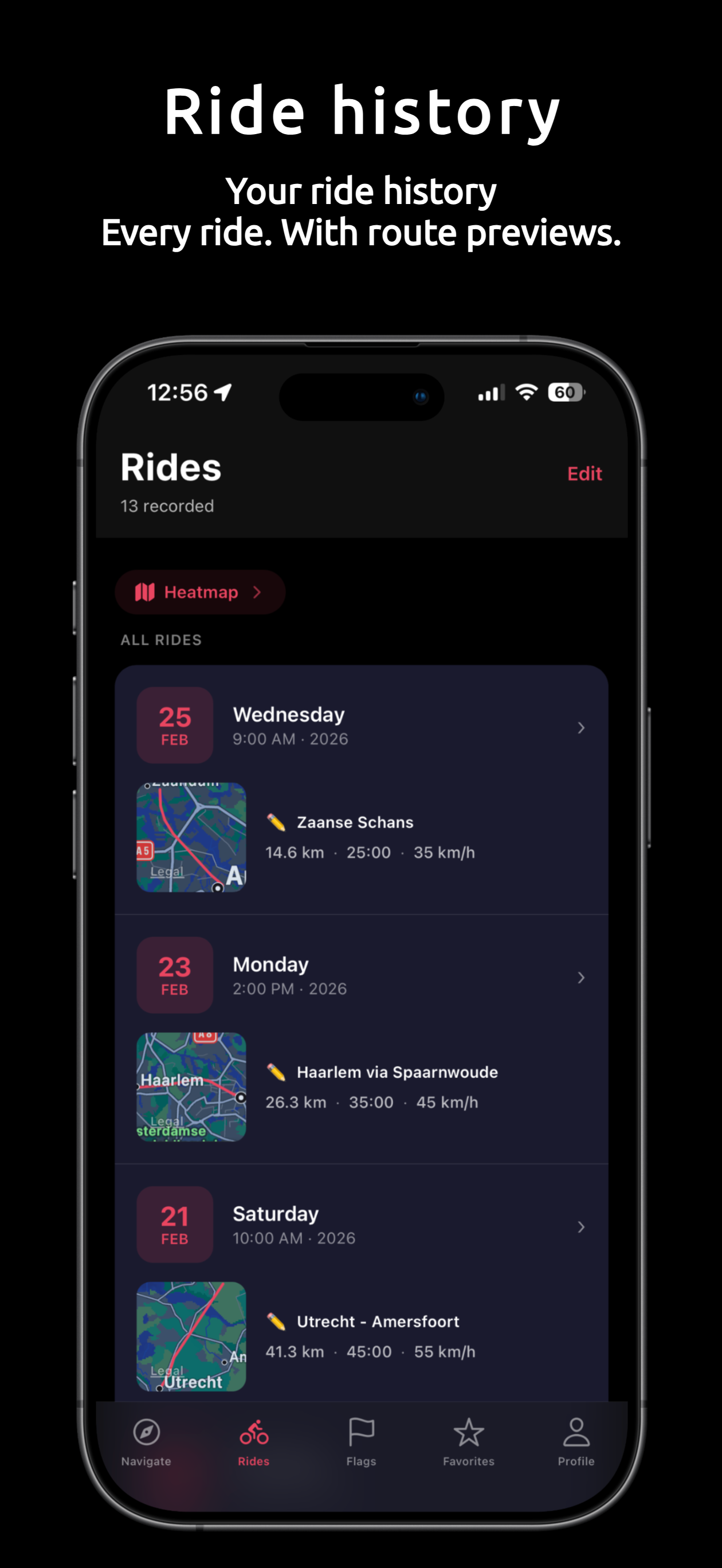
Store all your motorcycle rides. Free users can save 3 rides, Pro unlocks unlimited.
Plan motorcycle routes with up to 10 waypoints. Automatic waypoint advance with haptic feedback.
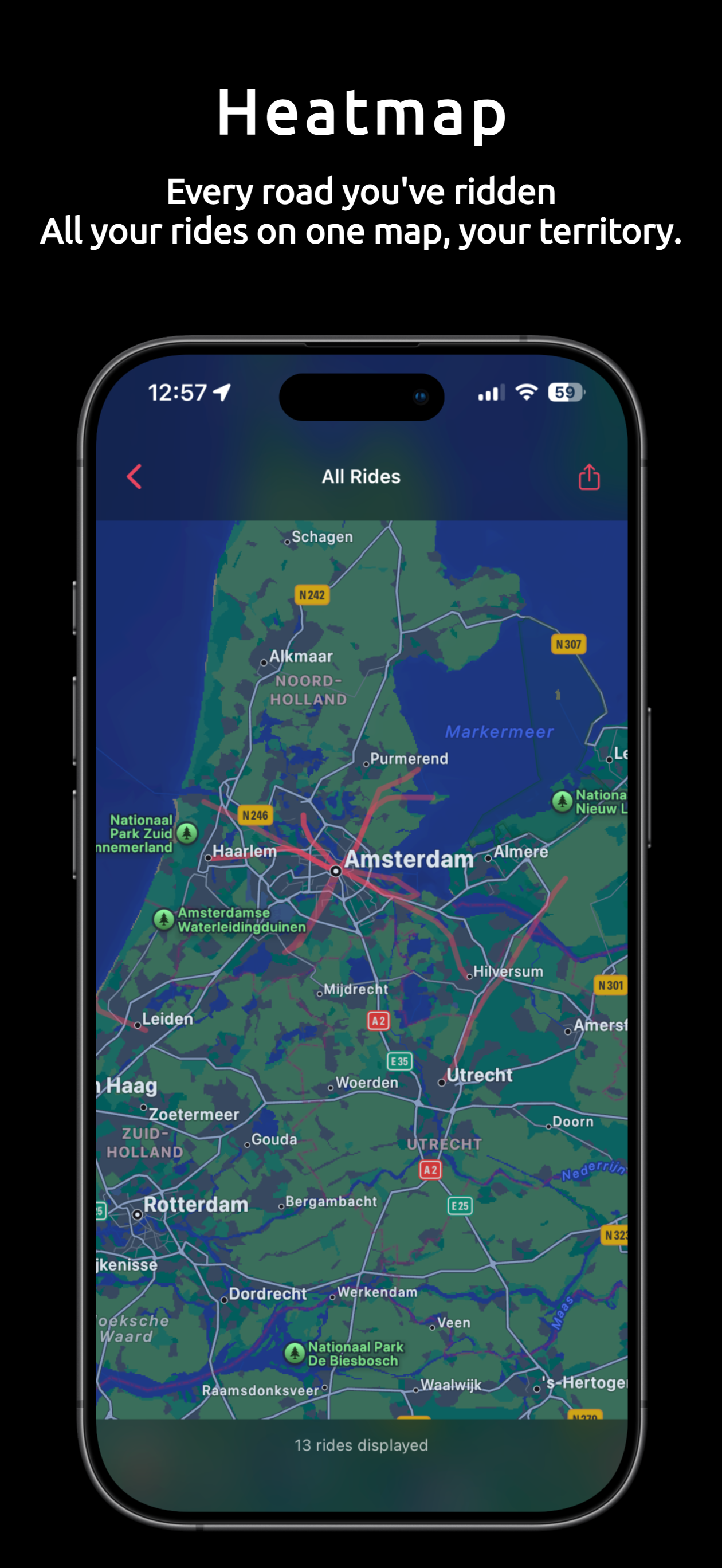
Visualize all your motorcycle rides on a single map. Share your heatmap as an Instagram-ready image.
Real-time speed limit sign overlay during rides. Uses OpenStreetMap data with smart road matching.
Real-time fixed speed camera alerts during rides. Shows distance countdown as you approach, clears automatically once passed.
Swipeable heading-up map during rides with auto-follow, speed-dependent zoom, and a heading cone. Switch between compass and map with a swipe.
Automatic iCloud (iOS) or Google Drive (Android) backup of all your rides and data. Restore anytime.
Export ride data including GPS track, lean angle, sprint time, and waypoints for analysis or sharing.
Peak acceleration and maximum braking force for each ride, displayed in g-force.
Lean angle graphed over time with max lean left and right. Visualize your cornering across the entire ride.
Track your all-time records: top speed, fastest sprint, max lean angle, and strongest braking.
Ride history with route previews, flagged locations, and a heatmap of every road you've ridden.
"Finally, a navigation app that focuses on the ride, not just the map. The minimalist UI is perfect for motorcycling, but the Pro version is where it truly shines. I love the deep-dive statistics you get after a tour: the lean angle analysis (left/right) and acceleration tracking (0-100 km/h) are incredibly fun to check. The speed and altitude graphs are super detailed, and the ride heatmap is a great way to track your progress over time. Best of all: it's a fair one-time purchase with no annoying extra costs."
Nice early motorcycle app
"It's been a recent replacement of my other motorcycle apps and it's constantly improving, developer also listening to feedback, hope to see that soon integrated!"
Download Heading for free. Upgrade to Pro inside the app for a one-time payment. No subscriptions.
Everything you need to ride
One-time in-app purchase
Available worldwide. Localized pricing.
Pro is available as an in-app purchase after download.
Yes. Heading is free to download and use. Core features like compass navigation, ride recording, smart flags, ride sharing, dark mode, OLED protection, and arrival detection are completely free with no ads. Heading Pro is available as a one-time in-app purchase for advanced features.
Heading uses compass-based navigation instead of turn-by-turn directions. It shows a big direction arrow pointing toward your destination, so you can choose your own roads. This gives motorcycle riders the freedom to explore while always knowing which direction to go.
Lean angle tracking uses your phone's gyroscope and accelerometer to measure how far your motorcycle leans in corners. Heading auto-calibrates to any phone mounting position and records your max lean left and right for every ride. This is a Pro feature.
Heading measures your 0-100 km/h (or 0-60 mph) sprint time using GPS data with interpolation for precise timing. It filters out GPS artifacts and only accepts accurate readings. Your fastest sprint is saved per ride and across all rides in Personal Bests.
Heading Pro is a one-time purchase of €9.99 that unlocks: unlimited ride history, lean angle analysis with lean angle chart, sprint time tracking, acceleration and braking stats, speed and altitude charts, real-time speed limit display, speed camera warnings, live heading-up map view, cloud backup (iCloud on iOS, Google Drive on Android), multi-waypoint routes with up to 10 stops, GPX and JSON export, a ride heatmap with shareable image, and personal bests.
Live Map View is a Pro feature that adds a swipeable map screen during your ride. The map rotates with your heading so it always faces the direction you're riding. It auto-follows your position and zooms in or out based on your speed. Swipe left from the compass screen to open it.
Yes. With Heading Pro you can build routes with up to 10 waypoints. Heading automatically advances to the next stop when you arrive, with haptic feedback and a notification. Free users can navigate to a single destination.
GPS navigation and ride recording work without internet. Destination search requires a connection, but you can save favorites while online and navigate to them later without internet.
Heading uses optimized GPS settings. During active recording it uses high-accuracy GPS for precise tracking. When idle, it switches to a lower power mode. You can also enable Keep Screen Awake and OLED burn-in protection for long rides.
Yes. Heading is available on both iOS (App Store) and Android (Google Play). Core features are the same on both platforms. Cloud backup uses iCloud on iOS and Google Drive on Android.
Turn-by-turn navigation tells you exactly which road to take at every junction. Compass navigation shows you the direction to your destination and lets you pick your own route. Heading uses compass navigation: a large arrow points toward your goal, and you decide which roads to ride. This suits riders who want to explore freely rather than follow a prescribed path.
Free users can store 3 saved rides at a time. Heading keeps your past rides even if you are on the free plan, so if you upgrade later, all your previous rides will be accessible.
Heading is currently available in English. Dutch and German localizations are in development.

Download Heading free. Set your destination and find your own way.